Loading…

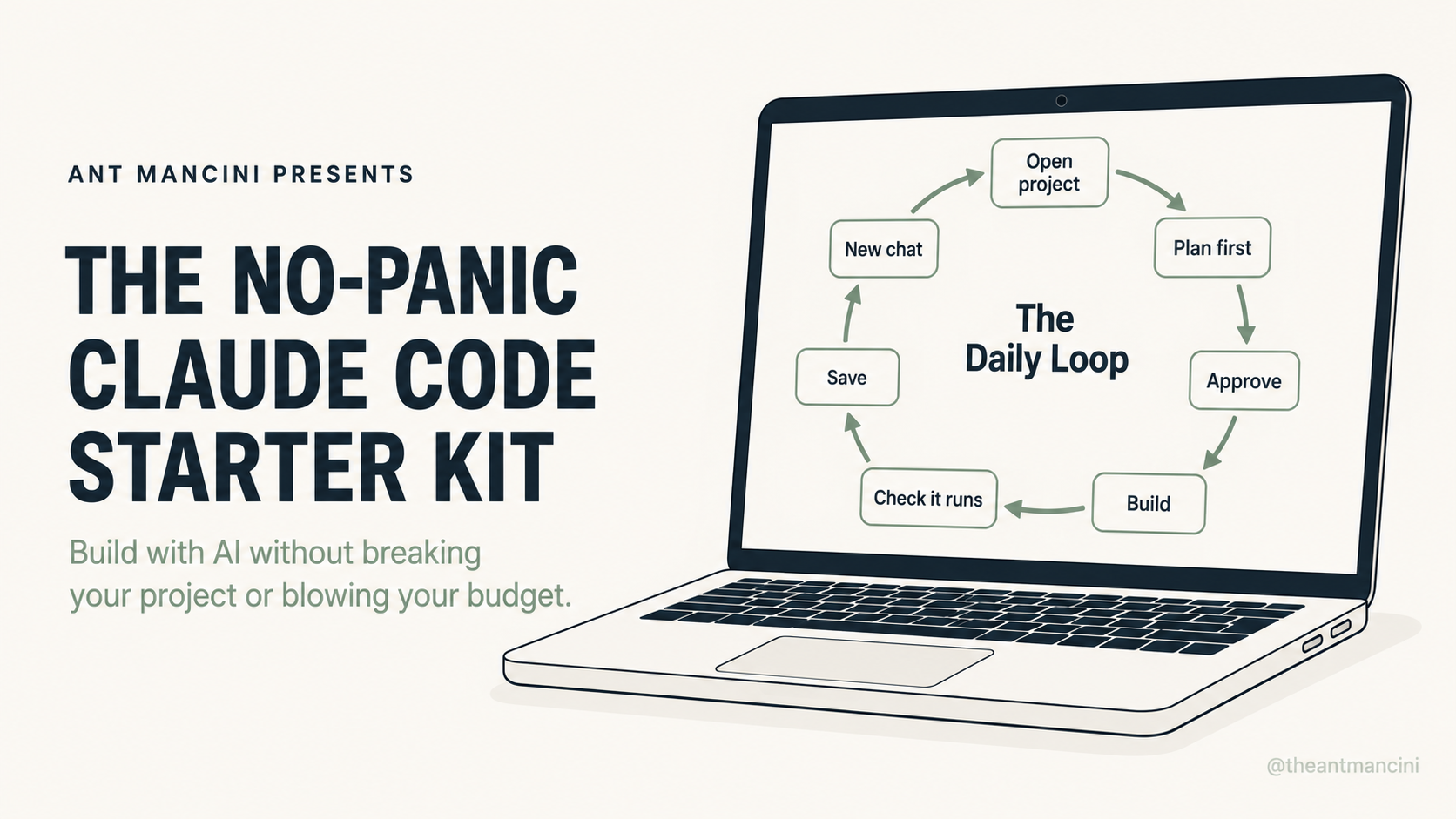
Build & ship real things with AI without breaking your project.
A calm, no-panic setup for Claude Code and Codex. Get the right tool for your budget, a safety net so AI can't wreck your work, and a simple daily routine you can follow even if you can't really code yet.
Who this is for
For busy builders — the dad with a software idea and not much spare time, the creator who's tinkered but feels stuck, the beginner who's curious about AI coding but scared of breaking something or overpaying. You don't need to be an engineer. You just need a system.
What's inside
- The 10-minute safety net that makes it impossible for AI to lose your work
- A one-question decision for which tool to use — Cursor, Claude Code, or Codex
- The honest answer to "is the $20 plan enough?" so you stop overpaying or under-buying
- How to stay safe without reading a single line of code
- The plan-first habit that stops the AI from going off the rails
- A one-page Daily Loop you can follow every time you sit down to build
Why this exists
I'm not a full-time coder. I'm a dad with ideas and not a lot of spare time, and I build apps and tools using AI as leverage — in the cracks of a busy life. When I started, I wasted money and almost broke a few projects figuring this out. This is the calm setup I wish I'd had on day one. No hype, no "10x" nonsense — just the system so you don't break your stuff or waste money.
What you'll walk away with
In about an hour you'll have version control set up without typing a command, know exactly which tool and plan fit you, and have a repeatable routine that keeps every project safe and cheap.
Common questions
Do I need to know how to code?
No. You need to read plain-English explanations and notice when something feels off. That's a skill you pick up in days.
Is this just for Claude Code?
No — it covers Claude Code and Codex, and helps you pick between them and Cursor based on your budget and experience.
Will this go out of date?
The tools change, but the system doesn't. It's built on habits — safety nets, planning, and budget discipline — not click-by-click steps. And it's a living document — when the tools shift, I update the kit and you get the new version automatically.
What does it cost?
When you're ready to build for real
The kit sets you up safely. The No-Panic MVP System takes you the rest of the way. It helps validate your idea, map the smallest useful version, and ship it with Claude Code or Codex, in dad-hours.
It's running as a live build cohort right now — I'm building alongside members, working through it week by week, and new material lands as we go.